GitHub Actions CI/CD配置詳解
GitHub Actions CI/CD配置詳解
概述與背景
GitHub Actions是GitHub提供的原生CI/CD平台,讓你能夠直接在代碼倉庫中自動化構建、測試和部署流程。無需第三方服務,只需編寫YAML配置文件即可實現完整的DevOps流水線。
graph TB
    subgraph GitHub Actions架構
        A[代碼推送] --> B[GitHub倉庫]
        B --> C{觸發事件?}

        C -->|push| D[CI工作流]
        C -->|pull_request| E[PR檢查]
        C -->|schedule| F[定時任務]
        C -->|release| G[發布流程]

        D --> H[構建作業]
        E --> H
        F --> H
        G --> I[部署作業]

        H --> J[測試報告]
        I --> K[生產環境]
    end

    style A fill:#fff9c4
    style C fill:#e1f5fe
    style H fill:#c8e6c9
    style I fill:#f3e5f5
    style K fill:#ffcdd2
graph LR
subgraph CI/CD平台對比
A[GitHub Actions] --> A1[原生集成]
A --> A2[2000分鐘/月免費]
A --> A3[Marketplace豐富]
B[Jenkins] --> B1[需自建服務器]
B --> B2[免費自建]
B --> B3[插件生態豐富]
C[GitLab CI] --> C1[GitLab集成]
C --> C2[400分鐘/月免費]
C --> C3[中等生態]
end
style A fill:#c8e6c9
style B fill:#fff9c4
style C fill:#fff3e0為什麼選擇GitHub Actions?
| 對比維度 | GitHub Actions | Jenkins | GitLab CI | CircleCI |
|---|---|---|---|---|
| 配置難度 | 簡單(YAML) | 複雜(Groovy) | 中等 | 中等 |
| 服務器管理 | 無需管理 | 需自建 | 需自建 | 無需 |
| 生態系統 | 豐富(Marketplace) | 豐富 | 中等 | 較少 |
| 與GitHub集成 | 原生 | 需配置 | 需配置 | 需配置 |
| 免費額度 | 2000分鐘/月 | 免費自建 | 400分鐘/月 | 6000分鐘/月 |
| Docker支持 | ✅ 原生 | ✅ | ✅ | ✅ |
核心優勢
- 原生集成:無需額外配置,直接在倉庫中編寫
- 豐富生態:Marketplace有數千個現成Action
- 矩陣構建:輕鬆測試多版本、多平台
- 容器支持:原生Docker和Kubernetes支持
- 安全可靠:Secrets加密存儲,審計日誌完整
核心概念
架構層級
Workflow(工作流)
├── Event(觸發事件)
├── Job 1(作業1)
│   ├── Step 1(步驟1)
│   │   └── Action(操作)
│   ├── Step 2
│   └── Step 3
└── Job 2(作業2)
    ├── Step 1
    └── Step 2
基本術語詳解
Workflow(工作流):
- 自動化的完整流程
- 定義在
.github/workflows/*.yml文件中 - 一個倉庫可以有多個工作流
- 每個工作流獨立運行
Event(事件):
- 觸發工作流運行的條件
- 常見事件:
push:代碼推送pull_request:PR創建/更新schedule:定時執行(cron)workflow_dispatch:手動觸發release:發布事件issues:Issue事件
Job(作業):
- 工作流中的一組步驟
- 默認並行執行
- 可以定義依賴關係(
needs) - 運行在獨立的虛擬機上
Step(步驟):
- Job中的單個任務
- 可以執行命令或使用Action
- 按順序執行
- 共享同一個文件系統
Action(操作):
- 可復用的單元
- 三種類型:
- JavaScript Action
- Docker Action
- Composite Action
- 可以來自Marketplace或自定義
工作流文件結構
.github/
└── workflows/
    ├── ci.yml              # 持續集成
    ├── cd.yml              # 持續部署
    ├── release.yml         # 發布流程
    ├── security.yml        # 安全掃描
    └── dependency-update.yml # 依賴更新
實戰步驟
GitHub Actions界面預覽
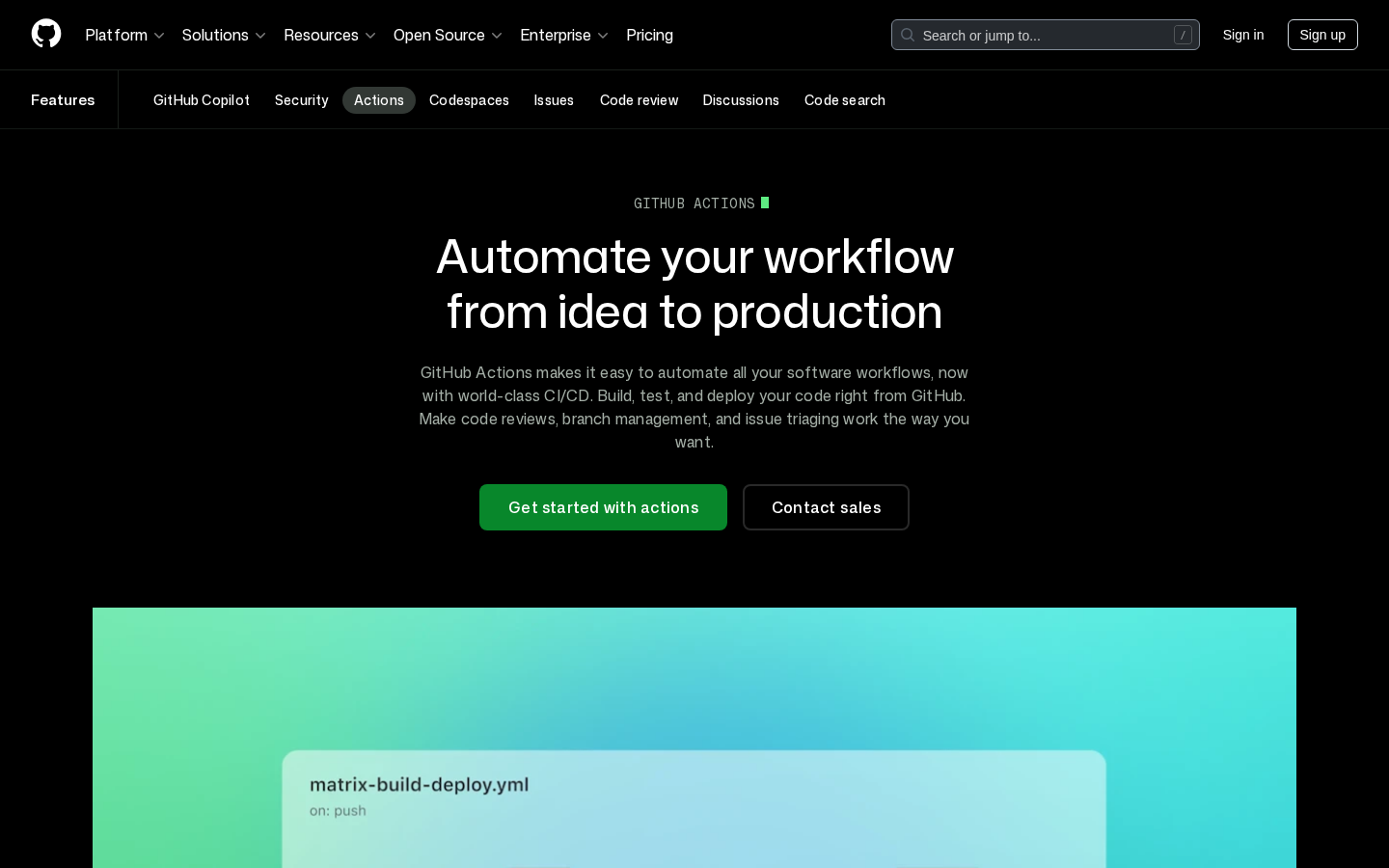
GitHub Actions功能介紹頁面,展示自動化能力
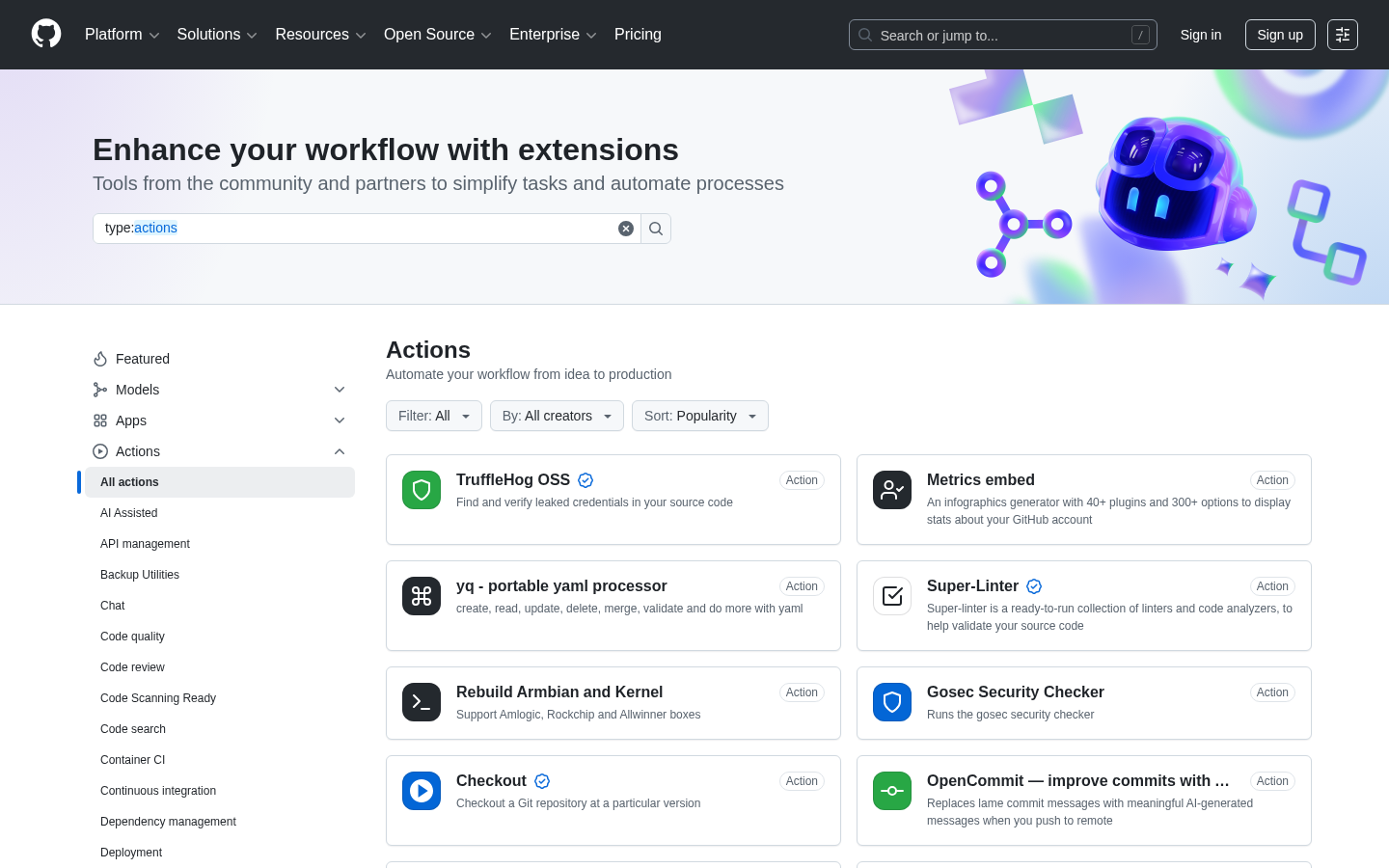
Actions Marketplace提供數千個可直接使用的Action
第一步:創建基礎CI工作流
.github/workflows/ci.yml:
name: CI Pipeline

# 觸發條件
on:
  push:
    branches: [main, develop]
  pull_request:
    branches: [main]

jobs:
  # ==================== 代碼檢查 ====================
  lint:
    name: 代碼檢查
    runs-on: ubuntu-latest

    steps:
      - name: 檢出代碼
        uses: actions/checkout@v4

      - name: 設置Node.js
        uses: actions/setup-node@v4
        with:
          node-version: '20'
          cache: 'npm'

      - name: 安裝依賴
        run: npm ci

      - name: 運行ESLint
        run: npm run lint

      - name: 運行Prettier
        run: npm run format:check

  # ==================== 類型檢查 ====================
  type-check:
    name: TypeScript類型檢查
    runs-on: ubuntu-latest

    steps:
      - uses: actions/checkout@v4

      - uses: actions/setup-node@v4
        with:
          node-version: '20'
          cache: 'npm'

      - run: npm ci
      - run: npm run type-check

  # ==================== 單元測試 ====================
  test:
    name: 單元測試
    runs-on: ubuntu-latest

    strategy:
      matrix:
        node-version: [18.x, 20.x, 22.x]

    steps:
      - uses: actions/checkout@v4

      - name: 設置Node.js ${{ matrix.node-version }}
        uses: actions/setup-node@v4
        with:
          node-version: ${{ matrix.node-version }}
          cache: 'npm'

      - name: 安裝依賴
        run: npm ci

      - name: 運行測試
        run: npm test -- --coverage

      - name: 上傳覆蓋率報告
        uses: codecov/codecov-action@v4
        with:
          token: ${{ secrets.CODECOV_TOKEN }}
          files: ./coverage/lcov.info

  # ==================== 構建 ====================
  build:
    name: 構建項目
    runs-on: ubuntu-latest
    needs: [lint, type-check, test]

    steps:
      - uses: actions/checkout@v4

      - uses: actions/setup-node@v4
        with:
          node-version: '20'
          cache: 'npm'

      - run: npm ci
      - run: npm run build

      - name: 上傳構建產物
        uses: actions/upload-artifact@v4
        with:
          name: build-output
          path: dist/
          retention-days: 7
第二步:代碼質量檢查
.github/workflows/quality.yml:
name: Code Quality

on: [push, pull_request]

jobs:
  # ==================== ESLint檢查 ====================
  eslint:
    name: ESLint
    runs-on: ubuntu-latest

    steps:
      - uses: actions/checkout@v4

      - uses: actions/setup-node@v4
        with:
          node-version: '20'
          cache: 'npm'

      - run: npm ci
      - run: npm run lint

      - name: ESLint報告
        uses: reviewdog/action-eslint@v1
        if: github.event_name == 'pull_request'
        with:
          reporter: github-pr-review
          github_token: ${{ secrets.GITHUB_TOKEN }}

  # ==================== 安全掃描 ====================
  security:
    name: 安全掃描
    runs-on: ubuntu-latest

    steps:
      - uses: actions/checkout@v4

      - name: 運行npm audit
        run: npm audit --audit-level=high
        continue-on-error: true

      - name: Snyk安全掃描
        uses: snyk/actions/node@master
        continue-on-error: true
        env:
          SNYK_TOKEN: ${{ secrets.SNYK_TOKEN }}

  # ==================== 代碼複雜度 ====================
  complexity:
    name: 代碼複雜度分析
    runs-on: ubuntu-latest

    steps:
      - uses: actions/checkout@v4

      - name: SonarCloud掃描
        uses: sonarsource/sonarcloud-github-action@master
        env:
          GITHUB_TOKEN: ${{ secrets.GITHUB_TOKEN }}
          SONAR_TOKEN: ${{ secrets.SONAR_TOKEN }}
第三步:完整CI/CD流水線
.github/workflows/deploy.yml:
name: CI/CD Pipeline

on:
  push:
    branches: [main]
  pull_request:
    branches: [main]
  workflow_dispatch:
    inputs:
      environment:
        description: 'Deployment environment'
        required: true
        default: 'staging'
        type: choice
        options:
          - staging
          - production

env:
  REGISTRY: ghcr.io
  IMAGE_NAME: ${{ github.repository }}

jobs:
  # ==================== 測試階段 ====================
  test:
    name: 測試
    runs-on: ubuntu-latest

    steps:
      - uses: actions/checkout@v4

      - uses: actions/setup-node@v4
        with:
          node-version: '20'
          cache: 'npm'

      - run: npm ci
      - run: npm test
      - run: npm run build

  # ==================== Docker構建 ====================
  build:
    name: 構建Docker鏡像
    runs-on: ubuntu-latest
    needs: test
    if: github.event_name == 'push'

    outputs:
      image-tag: ${{ steps.meta.outputs.tags }}
      image-digest: ${{ steps.build.outputs.digest }}

    permissions:
      contents: read
      packages: write

    steps:
      - name: 檢出代碼
        uses: actions/checkout@v4

      - name: 登錄GitHub Container Registry
        uses: docker/login-action@v3
        with:
          registry: ${{ env.REGISTRY }}
          username: ${{ github.actor }}
          password: ${{ secrets.GITHUB_TOKEN }}

      - name: 設置Docker Buildx
        uses: docker/setup-buildx-action@v3

      - name: 提取Docker元數據
        id: meta
        uses: docker/metadata-action@v5
        with:
          images: ${{ env.REGISTRY }}/${{ env.IMAGE_NAME }}
          tags: |
            type=ref,event=branch
            type=ref,event=pr
            type=semver,pattern={{version}}
            type=sha,prefix=
            type=raw,value=latest,enable={{is_default_branch}}

      - name: 構建並推送Docker鏡像
        id: build
        uses: docker/build-push-action@v5
        with:
          context: .
          push: true
          tags: ${{ steps.meta.outputs.tags }}
          labels: ${{ steps.meta.outputs.labels }}
          cache-from: type=gha
          cache-to: type=gha,mode=max
          platforms: linux/amd64,linux/arm64

      - name: 生成SBOM
        uses: anchore/sbom-action@v0
        with:
          image: ${{ env.REGISTRY }}/${{ env.IMAGE_NAME }}:${{ github.sha }}
          format: spdx-json
          output-file: sbom.spdx.json

      - name: 上傳SBOM
        uses: actions/upload-artifact@v4
        with:
          name: sbom
          path: sbom.spdx.json

  # ==================== 部署到Staging ====================
  deploy-staging:
    name: 部署到Staging
    runs-on: ubuntu-latest
    needs: build
    if: github.ref == 'refs/heads/main' && github.event_name == 'push'

    environment:
      name: staging
      url: https://staging.example.com

    steps:
      - name: 部署到Staging服務器
        uses: appleboy/ssh-action@v1
        with:
          host: ${{ secrets.STAGING_HOST }}
          username: ${{ secrets.DEPLOY_USER }}
          key: ${{ secrets.DEPLOY_KEY }}
          script: |
            docker login ${{ env.REGISTRY }} -u ${{ github.actor }} -p ${{ secrets.GITHUB_TOKEN }}
            docker pull ${{ env.REGISTRY }}/${{ env.IMAGE_NAME }}:latest
            docker compose -f /opt/app/docker-compose.staging.yml up -d
            docker image prune -f

      - name: 健康檢查
        run: |
          curl -f https://staging.example.com/health || exit 1

      - name: 通知團隊
        uses: slackapi/slack-github-action@v1
        with:
          payload: |
            {
              "text": "🚀 Staging部署完成",
              "blocks": [
                {
                  "type": "section",
                  "text": {
                    "type": "mrkdwn",
                    "text": "*部署詳情*\n• 環境: Staging\n• 版本: ${{ github.sha }}\n• 觸發者: ${{ github.actor }}"
                  }
                }
              ]
            }
        env:
          SLACK_WEBHOOK_URL: ${{ secrets.SLACK_WEBHOOK }}

  # ==================== 部署到Production ====================
  deploy-production:
    name: 部署到Production
    runs-on: ubuntu-latest
    needs: build
    if: github.event.inputs.environment == 'production'

    environment:
      name: production
      url: https://example.com

    steps:
      - name: 部署到Production服務器
        uses: appleboy/ssh-action@v1
        with:
          host: ${{ secrets.PRODUCTION_HOST }}
          username: ${{ secrets.DEPLOY_USER }}
          key: ${{ secrets.DEPLOY_KEY }}
          script: |
            # 備份當前版本
            docker tag ${{ env.REGISTRY }}/${{ env.IMAGE_NAME }}:latest ${{ env.REGISTRY }}/${{ env.IMAGE_NAME }}:backup-$(date +%Y%m%d-%H%M%S)

            # 拉取新版本
            docker login ${{ env.REGISTRY }} -u ${{ github.actor }} -p ${{ secrets.GITHUB_TOKEN }}
            docker pull ${{ env.REGISTRY }}/${{ env.IMAGE_NAME }}:latest

            # 滾動更新
            docker compose -f /opt/app/docker-compose.prod.yml up -d --no-deps --build app

            # 等待健康檢查
            sleep 30

            # 清理舊鏡像
            docker image prune -f

      - name: 驗證部署
        run: |
          for i in {1..10}; do
            if curl -f https://example.com/health; then
              echo "部署成功!"
              exit 0
            fi
            echo "等待服務就緒... ($i/10)"
            sleep 10
          done
          echo "部署驗證失敗"
          exit 1

      - name: 生產環境通知
        uses: slackapi/slack-github-action@v1
        with:
          payload: |
            {
              "text": "🎉 Production部署成功",
              "attachments": [
                {
                  "color": "good",
                  "fields": [
                    {"title": "環境", "value": "Production", "short": true},
                    {"title": "版本", "value": "${{ github.sha }}", "short": true},
                    {"title": "觸發者", "value": "${{ github.actor }}", "short": true},
                    {"title": "時間", "value": "${{ github.event.head_commit.timestamp }}", "short": true}
                  ]
                }
              ]
            }
        env:
          SLACK_WEBHOOK_URL: ${{ secrets.SLACK_WEBHOOK }}
第四步:環境變量與Secrets管理
4.1 配置Secrets
GitHub設置路徑:
倉庫 → Settings → Secrets and variables → Actions → New repository secret常用Secrets清單:
| Secret名稱 | 用途 | 示例值 |
|---|---|---|
DEPLOY_KEY | SSH部署私鑰 | -----BEGIN OPENSSH PRIVATE KEY-----... |
DEPLOY_HOST | 部署服務器地址 | deploy.example.com |
DEPLOY_USER | SSH用戶名 | deploy |
DATABASE_URL | 數據庫連接 | postgresql://user:pass@host:5432/db |
API_KEY | API密鑰 | sk-xxx... |
SNYK_TOKEN | Snyk安全掃描 | xxx-xxx-xxx |
CODECOV_TOKEN | Codecov覆蓋率 | xxx-xxx-xxx |
SLACK_WEBHOOK | Slack通知 | https://hooks.slack.com/... |
4.2 環境保護規則
jobs:
  deploy-production:
    runs-on: ubuntu-latest

    # 關聯環境(需要批准才能執行)
    environment:
      name: production
      url: https://example.com

    steps:
- run: echo "Deploying to production"環境保護規則配置(在GitHub設置):
- 必需審查者(Required reviewers)
- 等待時間(Wait timer)
- 部署分支限制(Deployment branches)
4.3 在工作流中使用
jobs:
  deploy:
    runs-on: ubuntu-latest

    steps:
      - name: 部署應用
        env:
          # 直接使用secrets
          DATABASE_URL: ${{ secrets.DATABASE_URL }}
          API_KEY: ${{ secrets.API_KEY }}

          # 組合secrets
          DATABASE_HOST: ${{ secrets.DB_HOST }}
          DATABASE_PORT: ${{ secrets.DB_PORT }}

        run: |
          echo "Deploying with environment variables..."
          npm run deploy
第五步:矩陣構建
5.1 多版本測試
jobs:
  test:
    runs-on: ${{ matrix.os }}

    strategy:
      # 失敗時是否取消其他矩陣作業
      fail-fast: false

      matrix:
        # 操作系統矩陣
        os: [ubuntu-latest, macos-latest, windows-latest]

        # Node.js版本矩陣
        node: [18, 20, 22]

        # 排除特定組合
        exclude:
          - os: macos-latest
            node: 18
          - os: windows-latest
            node: 22

        # 添加額外配置
        include:
          - os: ubuntu-latest
            node: 20
            experimental: true
            coverage: true

    steps:
      - uses: actions/checkout@v4

      - name: 設置Node.js ${{ matrix.node }}
        uses: actions/setup-node@v4
        with:
          node-version: ${{ matrix.node }}
          cache: 'npm'

      - run: npm ci
      - run: npm test

      - name: 上傳覆蓋率
        if: matrix.coverage
        uses: codecov/codecov-action@v4
5.2 多服務矩陣
jobs:
  integration-test:
    runs-on: ubuntu-latest

    strategy:
      matrix:
        database:
          - image: postgres:14
            port: 5432
          - image: postgres:15
            port: 5432
          - image: mysql:8
            port: 3306

        redis:
          - image: redis:6
            port: 6379
          - image: redis:7
            port: 6379

    services:
      db:
        image: ${{ matrix.database.image }}
        ports:
          - ${{ matrix.database.port }}:${{ matrix.database.port }}
        env:
          POSTGRES_PASSWORD: testpass
        options: >-
          --health-cmd pg_isready
          --health-interval 10s
          --health-timeout 5s
          --health-retries 5

      redis:
        image: ${{ matrix.redis.image }}
        ports:
          - ${{ matrix.redis.port }}:${{ matrix.redis.port }}
        options: >-
          --health-cmd "redis-cli ping"
          --health-interval 10s
          --health-timeout 5s
          --health-retries 5

    steps:
      - uses: actions/checkout@v4
      - run: npm ci
      - run: npm run test:integration
第六步:緩存優化
6.1 npm緩存
jobs:
  build:
    runs-on: ubuntu-latest

    steps:
      - uses: actions/checkout@v4

      # 方式1:使用setup-node內置緩存
      - uses: actions/setup-node@v4
        with:
          node-version: '20'
          cache: 'npm'  # 自動緩存

      # 方式2:手動配置緩存
      - name: 緩存node_modules
        uses: actions/cache@v4
        with:
          path: |
            ~/.npm
            node_modules
          key: ${{ runner.os }}-node-${{ hashFiles('**/package-lock.json') }}
          restore-keys: |
            ${{ runner.os }}-node-
6.2 Docker層緩存
jobs:
  build:
    runs-on: ubuntu-latest

    steps:
      - uses: actions/checkout@v4

      - name: 設置Docker Buildx
        uses: docker/setup-buildx-action@v3

      - name: 構建鏡像(帶緩存)
        uses: docker/build-push-action@v5
        with:
          context: .
          push: false
          cache-from: type=gha
          cache-to: type=gha,mode=max
6.3 多種緩存組合
jobs:
  build:
    runs-on: ubuntu-latest

    steps:
      - uses: actions/checkout@v4

      - name: 緩存多個路徑
        uses: actions/cache@v4
        with:
          path: |
            ~/.npm
            ~/.cache
            node_modules
            .next/cache
          key: ${{ runner.os }}-cache-${{ hashFiles('**/package-lock.json', '**/yarn.lock') }}
          restore-keys: |
            ${{ runner.os }}-cache-
第七步:條件執行
7.1 分支條件
jobs:
  deploy:
    runs-on: ubuntu-latest

    # 僅在main分支執行
    if: github.ref == 'refs/heads/main'

    steps:
      - run: echo "Deploying..."
7.2 事件條件
jobs:
  release:
    runs-on: ubuntu-latest

    # 僅在發布時執行
    if: startsWith(github.ref, 'refs/tags/')

    steps:
      - name: 發布到npm
        if: github.event_name == 'release'
        run: npm publish
7.3 文件變更條件
jobs:
  build:
    runs-on: ubuntu-latest

    steps:
      - uses: actions/checkout@v4
        with:
          fetch-depth: 2

      - name: 檢查文件變更
        id: check
        run: |
          # 獲取變更的文件
          changed_files=$(git diff --name-only HEAD^ HEAD)

          # 檢查是否有src目錄變更
          if echo "$changed_files" | grep -q "^src/"; then
            echo "src_changed=true" >> $GITHUB_OUTPUT
          fi

      - name: 構建前端
        if: steps.check.outputs.src_changed == 'true'
        run: npm run build
7.4 PR標籤條件
jobs:
  deploy-preview:
    runs-on: ubuntu-latest

    # 僅在標籤為'deploy'的PR執行
    if: |
      github.event_name == 'pull_request' &&
      contains(github.event.pull_request.labels.*.name, 'deploy')

    steps:
      - run: echo "Deploying preview..."
第八步:自定義Action
8.1 JavaScript Action
action.yml:
name: 'Deploy Notification'
description: 'Send deployment notification to Slack'
author: 'Your Name'

inputs:
  webhook-url:
    description: 'Slack webhook URL'
    required: true
  status:
    description: 'Deployment status (success/failure)'
    required: true
    default: 'success'
  environment:
    description: 'Deployment environment'
    required: true
  version:
    description: 'Deployed version'
    required: false
    default: ${{ github.sha }}

outputs:
  message-id:
    description: 'The timestamp of the sent message'

runs:
  using: 'node20'
  main: 'dist/index.js'

branding:
  icon: 'send'
color: 'blue'index.js:
const core = require('@actions/core');
const github = require('@actions/github');

async function run() {
  try {
    const webhookUrl = core.getInput('webhook-url');
    const status = core.getInput('status');
    const environment = core.getInput('environment');
    const version = core.getInput('version');

    const { context } = github;

    const color = status === 'success' ? 'good' : 'danger';
    const emoji = status === 'success' ? '✅' : '❌';

    const message = {
      text: `${emoji} Deployment ${status} to ${environment}`,
      attachments: [{
        color,
        fields: [
          { title: 'Environment', value: environment, short: true },
          { title: 'Version', value: version.substring(0, 7), short: true },
          { title: 'Repository', value: context.payload.repository.full_name, short: true },
          { title: 'Triggered by', value: context.actor, short: true },
        ],
        footer: `GitHub Actions • ${context.workflow}`,
        ts: Date.now()
      }]
    };

    const response = await fetch(webhookUrl, {
      method: 'POST',
      headers: { 'Content-Type': 'application/json' },
      body: JSON.stringify(message)
    });

    if (!response.ok) {
      throw new Error(`HTTP error! status: ${response.status}`);
    }

    core.setOutput('message-id', Date.now().toString());

  } catch (error) {
    core.setFailed(error.message);
  }
}

run();
8.2 Composite Action
.github/actions/setup/action.yml:
name: 'Setup Environment'
description: 'Setup Node.js and install dependencies'
author: 'Your Name'

inputs:
  node-version:
    description: 'Node.js version'
    required: false
    default: '20'

  install-command:
    description: 'Package manager install command'
    required: false
    default: 'npm ci'

  cache:
    description: 'Package manager for caching'
    required: false
    default: 'npm'

runs:
  using: 'composite'
  steps:
    - name: 設置Node.js ${{ inputs.node-version }}
      uses: actions/setup-node@v4
      with:
        node-version: ${{ inputs.node-version }}
        cache: ${{ inputs.cache }}

    - name: 安裝依賴
      shell: bash
      run: ${{ inputs.install-command }}

    - name: 顯示版本信息
      shell: bash
      run: |
        echo "Node: $(node -v)"
echo "NPM: $(npm -v)"使用示例:
jobs:
  build:
    runs-on: ubuntu-latest

    steps:
      - uses: actions/checkout@v4

      - name: 設置環境
        uses: ./.github/actions/setup
        with:
          node-version: '20'

      - run: npm run build
高級技巧
工作流復用
.github/workflows/reusable-deploy.yml:
name: Reusable Deploy

on:
  workflow_call:
    inputs:
      environment:
        description: 'Deployment environment'
        required: true
        type: string
      image-tag:
        description: 'Docker image tag'
        required: true
        type: string

    secrets:
      deploy-key:
        description: 'SSH private key for deployment'
        required: true
      deploy-host:
        description: 'Deployment server host'
        required: true

jobs:
  deploy:
    runs-on: ubuntu-latest

    environment:
      name: ${{ inputs.environment }}

    steps:
      - name: 部署
        uses: appleboy/ssh-action@v1
        with:
          host: ${{ secrets.deploy-host }}
          username: deploy
          key: ${{ secrets.deploy-key }}
          script: |
            docker pull myapp:${{ inputs.image-tag }}
docker compose up -d調用復用工作流:
jobs:
  deploy-staging:
    uses: ./.github/workflows/reusable-deploy.yml
    with:
      environment: staging
      image-tag: ${{ github.sha }}
    secrets:
      deploy-key: ${{ secrets.STAGING_DEPLOY_KEY }}
      deploy-host: ${{ secrets.STAGING_HOST }}

  deploy-production:
    uses: ./.github/workflows/reusable-deploy.yml
    with:
      environment: production
      image-tag: ${{ github.sha }}
    secrets:
      deploy-key: ${{ secrets.PRODUCTION_DEPLOY_KEY }}
      deploy-host: ${{ secrets.PRODUCTION_HOST }}
常見問題解決
Q1: 權限不足
症狀:Error: Permission denied
jobs:
  build:
    runs-on: ubuntu-latest

    # 添加權限聲明
    permissions:
      contents: read      # 讀取代碼
      packages: write     # 推送鏡像
      issues: write       # 創建Issue評論
      pull-requests: write # PR評論
Q2: 緩存不生效
解決方案:
- name: 清除舊緩存
  if: github.event_name == 'workflow_dispatch'
  run: |
    gh cache delete --all || true
  env:
    GH_TOKEN: ${{ secrets.GITHUB_TOKEN }}
Q3: 服務容器連接失敗
jobs:
  test:
    runs-on: ubuntu-latest

    services:
      postgres:
        image: postgres:15
        env:
          POSTGRES_PASSWORD: testpass
        ports:
          - 5432:5432
        options: >-
          --health-cmd pg_isready
          --health-interval 10s
          --health-timeout 5s
          --health-retries 5

    steps:
      - name: 等待服務就緒
        run: |
          until pg_isready -h localhost -p 5432; do
            echo "Waiting for postgres..."
            sleep 2
          done
最佳實踐
1. 最小權限原則
jobs:
  build:
    runs-on: ubuntu-latest

    permissions:
      contents: read      # 僅讀取代碼
      packages: write     # 僅推送鏡像
2. 使用Pinned版本
# ✅ 正確:使用版本號
- uses: actions/checkout@v4
- uses: actions/setup-node@v4.0.0

# ❌ 錯誤:使用分支名(不穩定)
- uses: actions/checkout@main
3. 失敗通知
jobs:
  deploy:
    runs-on: ubuntu-latest

    steps:
      - name: 部署
        id: deploy
        run: npm run deploy

      - name: 成功通知
        if: success()
        uses: slackapi/slack-github-action@v1
        with:
          payload: |
            {"text": "✅ 部署成功"}

      - name: 失敗通知
        if: failure()
        uses: slackapi/slack-github-action@v1
        with:
          payload: |
            {"text": "❌ 部署失敗,請檢查日誌"}
總結
GitHub Actions核心要點:
| 概念 | 說明 |
|---|---|
| Workflow | 自動化流程,YAML定義 |
| Event | 觸發條件(push/PR/定時) |
| Job | 作業單元,可並行或串行 |
| Step | 具體步驟,執行命令或Action |
| Action | 可復用單元,Marketplace或自定義 |
關鍵技能:
- ✅ 編寫基礎CI工作流
- ✅ 矩陣構建多版本測試
- ✅ Docker鏡像構建與部署
- ✅ Secrets安全管理
- ✅ 緩存優化加速構建
- ✅ 自定義Action封裝邏輯
- ✅ 工作流復用減少重複


💬 評論區